 Dirs
See what fills your Mac.
Dirs scans your disk in seconds and shows every folder as a sortable list and a treemap, so what's taking up the space is obvious. Free.
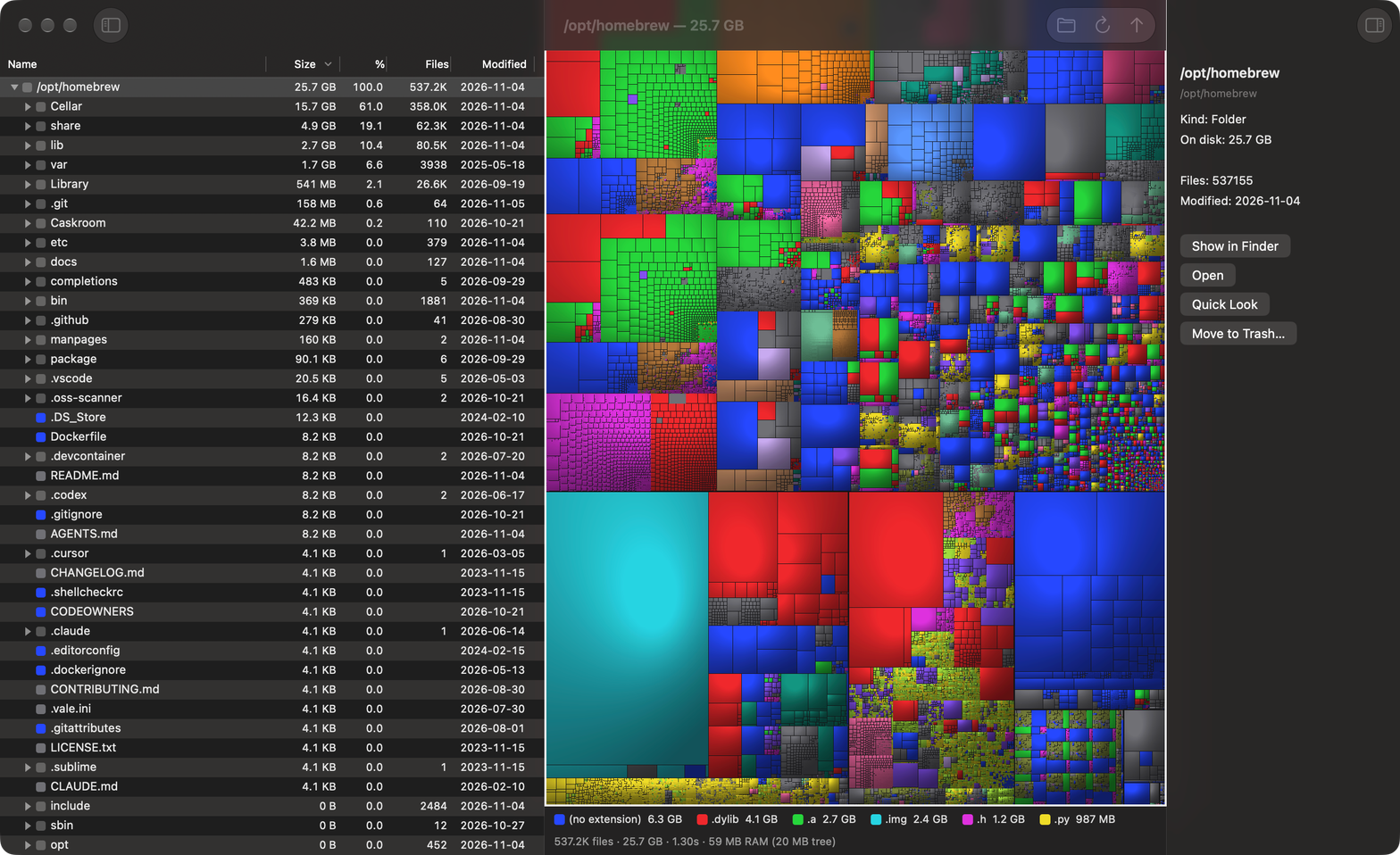
Built for the question you actually have
Fast on real disks
Reads all your cores at once and goes straight to the file system's bulk listing calls. A home folder of 6.9 million items takes under a minute on our test Mac.
Light on memory
About 40 bytes per file, in a native app with no web view. Dirs stays out of the way even with millions of files open.
A map you can read
The treemap draws every file to scale, colored by kind. The big blocks are what's using your space. Click one to find it in the list.
Clean up in place
Show in Finder, Quick Look with the arrow keys, Open, and Move to Trash, right where you found the file.
iCloud stays in the cloud
Scanning never downloads files that live only in iCloud, and never crosses onto other disks unless you scan them.
Private by design
Your file names and contents never leave your Mac. Crash reports are anonymous, and you can turn them off.
Free to use, with a small upgrade
Scanning, the map and cleaning up are free, with no limits. Pro adds browsing during a scan. See Dirs Pro.
Questions
Which Macs does it run on?
macOS 14 or later.
Why does it ask for Full Disk Access?
macOS protects folders such as Documents and Calendars, and otherwise asks about each one as a scan reaches it. Full Disk Access is one switch instead of many questions. It's optional, and Dirs only reads names, sizes and dates.
Does Dirs delete anything by itself?
Never. It only moves an item when you choose Move to Trash, and you can restore it from the Trash as usual. A setting makes Dirs ask first.
Is the App Store version different?
Apple requires App Store apps to run in a sandbox, so that version asks you to choose the folder or disk to scan. The direct download can scan your home folder or whole disk with one click.